
What is a DevOps Pipeline? A Complete Guide
Introduction
Modern software development requires speed, reliability, and continuous improvement. Businesses need to release new features quickly while maintaining high-quality applications. This is where a DevOps pipeline plays a vital role.
A DevOps pipeline automates the process of building, testing, securing, and deploying software. Instead of relying on manual steps that can introduce delays and errors, organizations use DevOps pipelines to streamline software development from code creation to production deployment.
In this article, we'll explore what a DevOps pipeline is, how it works, its stages, benefits, best practices, challenges, and why it has become an essential part of modern software delivery, alongside related practices like DevOps for mobile app development.
What is a DevOps Pipeline?
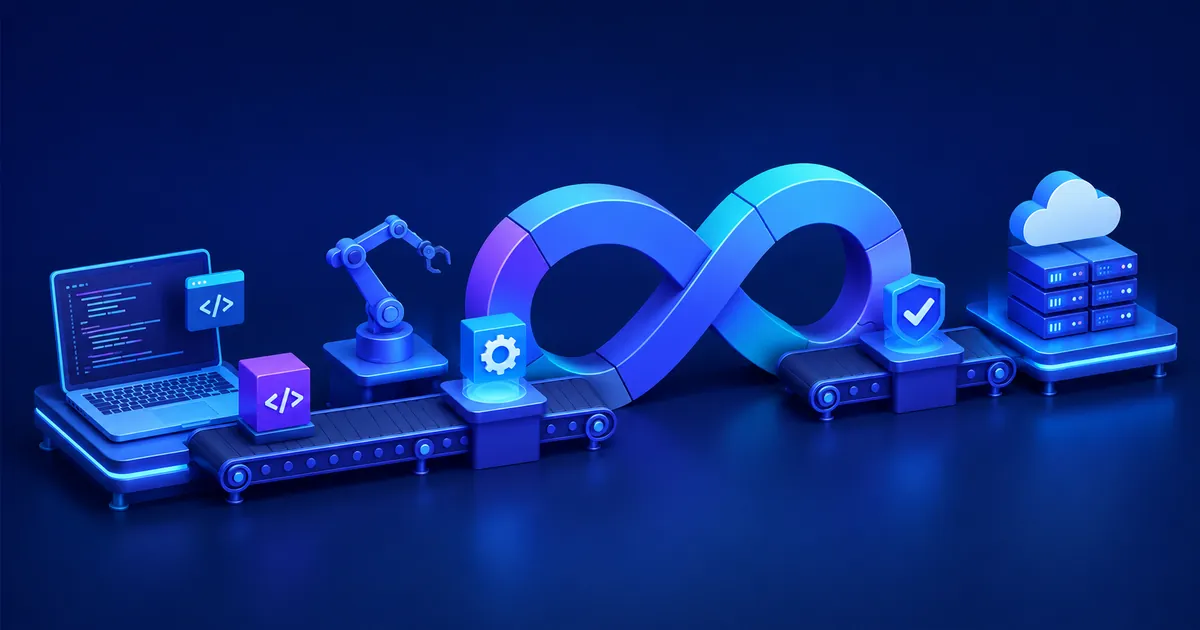
A DevOps pipeline is a series of automated workflows that move software code from development to production, and it essentially bridges the gap between writing code and running it reliably in the real world. It integrates DevOps practices to ensure applications are built, tested, and deployed efficiently.
The pipeline automates repetitive tasks such as:
Source code integration
Code compilation
Automated testing
Security scanning
Infrastructure provisioning
Deployment
Monitoring and feedback
By automating these processes, teams can deliver software faster, reduce manual errors, and maintain consistent quality across releases — a goal shared by good software architecture design practices.
Why is a DevOps Pipeline Important?
A DevOps pipeline matters because it turns a slow, error-prone manual release process into a fast, repeatable one that scales with a growing engineering team. Software projects often involve multiple developers, testers, security teams, and operations engineers. Without automation, releases become slow, inconsistent, and error-prone, a problem many teams first notice while choosing the right outsourced software development company.
A DevOps pipeline helps organizations:
Accelerate software delivery
Improve collaboration between teams
Detect bugs earlier
Reduce deployment failures
Improve application reliability
Increase development productivity
Support continuous innovation
Deliver better customer experiences
It enables organizations to release updates frequently without compromising quality, which is often summarized in the search phrase devops pipeline benefits for businesses, and pairs well with strong software testing practices.
How Does a DevOps Pipeline Work?
A DevOps pipeline works by moving code through a sequence of predefined, mostly automated stages, each responsible for a specific task, so an update goes from a developer's laptop to production with minimal manual intervention.
Step 1: Plan
The process begins with planning, where teams define project requirements, create user stories, prioritize tasks, and set development goals. Proper planning ensures everyone understands the project scope and delivery timeline, similar to how teams plan an MVP before raising funds.
Step 2: Write Code
Developers write new features, fix bugs, or improve existing functionality. The code is managed using version control systems like Git, allowing multiple developers to collaborate without conflicts.
Step 3: Commit Code
Once development is complete, developers commit and push their code to a shared source code repository. This action automatically triggers the DevOps pipeline to begin the next stages.
Step 4: Build the Application
The pipeline compiles the source code, installs dependencies, and creates a deployable application package. If any build errors occur, the pipeline immediately notifies developers, a step made easier with the right cross-platform app development framework.
Step 5: Run Automated Tests
The application undergoes automated testing to verify functionality, performance, and reliability. Unit, integration, regression, and API tests help identify bugs before deployment.
Step 6: Perform Security Checks
Security tools automatically scan the application for vulnerabilities, insecure dependencies, and compliance issues. This DevSecOps approach helps prevent security risks from reaching production, an approach also explored in AI-driven cybersecurity threat detection.
Step 7: Package the Application
After successful testing and security validation, the application is packaged into a deployable artifact such as a Docker container, JAR file, or executable package for consistent deployment.
Step 8: Deploy to Staging
The application is first deployed to a staging or testing environment where teams validate its behavior under production-like conditions. Any remaining issues can be resolved before the final release.
Step 9: Deploy to Production
Once approved, the pipeline automatically deploys the application to the live production environment. Modern deployment strategies like Blue-Green or Canary deployments help minimize downtime and deployment risks, a concern also central to enterprise software development trends.
Step 10: Monitor and Collect Feedback
After deployment, monitoring tools continuously track application performance, system health, user activity, and error logs. The collected insights help teams quickly resolve issues and improve future software releases.
Benefits of a DevOps Pipeline
The core benefit of a DevOps pipeline is that it lets organizations ship software faster without sacrificing quality, which is why so many teams search for devops pipeline benefits for businesses when evaluating whether to adopt one.
Key benefits include:
Faster Software Delivery
Automation significantly reduces release times.
Improved Software Quality
Automated testing catches defects early.
Reduced Human Errors
Automation minimizes mistakes caused by manual processes.
Better Collaboration
Developers, testers, and operations teams work together using shared workflows, much like cross-functional teams do when they partner with an app development company.
Higher Deployment Success Rate
Consistent deployment processes reduce failures.
Enhanced Security
Integrated security checks identify vulnerabilities before production.
Scalability
Pipelines support applications of all sizes, from startups to enterprises, a theme also covered in the benefits of custom enterprise software for large organizations.
Continuous Improvement
Monitoring and feedback enable ongoing optimization.
Popular DevOps Pipeline Tools
Most DevOps pipelines are built by combining several specialized tools rather than relying on a single platform for every stage. Many tools are available for building DevOps pipelines.
Commonly used solutions include:
GitLab
Azure DevOps
CircleCI
Travis CI
Bamboo
Terraform
Ansible
Prometheus
Grafana
SonarQube
Nexus Repository
Artifactory
Organizations often combine multiple tools into a single automated workflow, similar to how teams evaluate options in our guide on the best cross-platform app framework for business.
DevOps Pipeline Best Practices
Following a set of proven best practices is what separates a pipeline that genuinely speeds up releases from one that just adds automation for its own sake. To maximize efficiency, organizations should follow proven practices.
Best practices include:
Automate Everything
Reduce manual intervention wherever possible.
Use Version Control
Track every code and configuration change.
Test Early and Often
Run automated tests throughout development.
Integrate Security
Include security checks at every stage of the pipeline, a principle also detailed in AI in cybersecurity threat detection systems.
Monitor Continuously
Track system health, application performance, and deployment metrics.
Keep Pipelines Fast
Optimize build and test times to provide quick feedback.
Use Infrastructure as Code
Automate infrastructure provisioning for consistency, an approach related to modern AI system architecture for businesses.
Implement Rollback Strategies
Prepare automated rollback mechanisms for failed deployments.
Challenges of DevOps Pipelines
Even well-designed DevOps pipelines run into a recurring set of challenges as teams and applications scale, which is why ongoing tuning matters as much as initial setup. Organizations must continuously optimize their pipelines to ensure reliable, secure, and efficient software delivery.
1. Complex Pipeline Configuration
Setting up a DevOps pipeline involves integrating multiple tools, workflows, and environments. As projects grow, managing these configurations becomes more complex and requires careful planning.
2. Tool Integration Issues
DevOps pipelines often rely on various tools for source control, testing, deployment, monitoring, and security. Ensuring these tools work seamlessly together can be challenging and may require additional customization, a common theme in common mistakes to avoid when hiring a development team.
3. Long Build and Test Times
Large applications with extensive test suites can slow down the pipeline. Optimizing builds, parallelizing tests, and using efficient infrastructure are essential to maintain fast delivery cycles.
4. Managing Multiple Environments
Applications typically move through development, testing, staging, and production environments. Keeping these environments consistent and properly configured can be difficult without automation.
5. Security and Compliance
Integrating security checks while meeting industry regulations requires continuous vulnerability scanning, access control, and compliance validation. Balancing security with deployment speed is often a challenge, especially for teams researching devops pipeline security best practices, a topic also explored in building GDPR-compliant software.
6. Legacy System Integration
Older applications may not support modern DevOps practices or automation tools. Migrating legacy systems into automated pipelines often requires significant effort and modernization.
7. Infrastructure Management
Managing cloud resources, containers, virtual machines, and Kubernetes clusters adds operational complexity. Infrastructure must be monitored, scaled, and maintained efficiently, an area covered in the benefits of hiring a cloud application development company.
8. Monitoring and Troubleshooting
Identifying the root cause of failures in distributed systems can be difficult. Effective monitoring, centralized logging, and alerting are necessary to quickly detect and resolve issues.
9. Skill Gaps Within Teams
Successfully adopting DevOps requires expertise in automation, cloud platforms, CI/CD tools, scripting, and infrastructure management. Organizations may need to invest in training and upskilling their teams, or consider working with a right IT software development company that already has this expertise.
10. Continuous Pipeline Maintenance
DevOps pipelines require regular updates to accommodate new tools, changing business requirements, security patches, and evolving technologies. Ongoing maintenance is essential to keep pipelines efficient and reliable.
DevOps Pipeline vs CI/CD
A DevOps pipeline is the broader end-to-end delivery workflow, while CI/CD is one core component focused specifically on integration and deployment. Although the terms are often used together, they have different meanings.
Feature | DevOps Pipeline | CI/CD |
|---|---|---|
Scope | Entire software delivery workflow | Focuses on integration and deployment |
Includes Planning | Yes | Limited |
Includes Infrastructure | Yes | Sometimes |
Includes Monitoring | Yes | Limited |
Includes Feedback Loop | Yes | Partial |
Automation | End-to-end | Build, test, and deployment |
Goal | Complete software lifecycle automation | Faster and reliable code delivery |
A DevOps pipeline is broader and often incorporates CI/CD as one of its core components, an idea covered further in our piece on AI vs traditional software development.
Future of DevOps Pipelines
The next generation of DevOps pipelines is being shaped largely by artificial intelligence, cloud computing, and platform engineering becoming standard parts of the toolchain. DevOps pipelines continue to evolve as automation, cloud computing, artificial intelligence, and platform engineering become more advanced.
AI-powered pipeline optimization
Artificial intelligence helps optimize build, test, and deployment processes by identifying bottlenecks, predicting failures, and recommending improvements. This leads to faster and more efficient software delivery, a shift also described in AI transforming software development outsourcing.
Intelligent automated testing
AI-driven testing tools can automatically generate, prioritize, and execute test cases based on recent code changes. This improves test coverage while reducing the time required for quality assurance.
Predictive failure detection
Modern monitoring tools analyze application and infrastructure data to detect patterns that may lead to failures. Teams can resolve issues before they impact users or production environments, a capability also discussed in AI agents in DevOps, CI/CD monitoring, and incident response.
Self-healing deployment pipelines
Advanced DevOps pipelines can automatically recover from deployment failures by restarting services, rolling back updates, or applying predefined fixes without manual intervention.
GitOps-based deployment models
GitOps uses Git repositories as the single source of truth for infrastructure and application configurations. This approach improves version control, consistency, and deployment reliability.
Greater adoption of DevSecOps
Security is becoming an integral part of every stage of the DevOps pipeline. Automated vulnerability scanning, compliance checks, and security testing help organizations build more secure applications, a trend also visible in choosing between custom and off-the-shelf healthcare software.
Serverless deployment automation
More organizations are adopting serverless computing, where DevOps pipelines automatically deploy applications without managing servers. This simplifies infrastructure management and improves scalability.
Multi-cloud pipeline management
Businesses are increasingly deploying applications across multiple cloud computing providers. Modern DevOps pipelines support automated deployments and consistent management across hybrid and multi-cloud environments, an area covered in cloud computing and digital transformation.
Platform engineering integration
Platform engineering provides developers with standardized tools, templates, and self-service platforms. Integrating it with DevOps pipelines simplifies software delivery and boosts developer productivity.
Increased use of Kubernetes-native pipelines
Kubernetes-native pipelines are designed specifically for containerized applications, enabling automated deployments, scaling, and management of cloud-native workloads with greater efficiency.
Industries Using DevOps Pipelines
DevOps pipelines have moved well beyond pure tech companies and are now used across nearly every industry that ships digital products. DevOps pipelines are widely used across industries that require rapid, reliable, and continuous software delivery.
Software Development
Software companies use DevOps pipelines to automate coding, testing, and deployment, allowing teams to release new features and updates more frequently with fewer errors, a topic explored further in our guide to top software development companies.
Banking and Financial Services
Financial institutions rely on DevOps pipelines to deliver secure digital banking applications while maintaining regulatory compliance, system stability, and high availability.
Healthcare
Healthcare organizations use DevOps pipelines to develop and update electronic health record systems, telemedicine platforms, and patient applications while ensuring data security and compliance, a subject also covered in healthcare software development companies in the USA.
E-commerce
Online retailers use DevOps pipelines to quickly deploy new features, improve website performance, and handle high traffic during sales events without disrupting customer experiences.
Telecommunications
Telecom providers automate software updates for network systems, customer portals, and communication services, enabling faster service improvements and greater reliability.
Manufacturing
Manufacturing companies use DevOps pipelines to support industrial automation, IoT platforms, supply chain software, and smart factory applications through continuous software updates.
Government
Government agencies implement DevOps pipelines to modernize public services, improve cybersecurity, and deliver secure digital applications more efficiently.
Education
Educational institutions use DevOps pipelines to maintain learning management systems, virtual classrooms, and student portals while ensuring continuous service availability.
Gaming
Game development companies use DevOps pipelines to automate game builds, testing, updates, and live content releases, providing players with a smoother gaming experience.
Cloud Service Providers
Cloud providers depend on DevOps pipelines to manage large-scale infrastructure, automate service deployments, and continuously improve cloud platforms while maintaining high reliability, an area explored in the benefits of hiring an enterprise software development company.
Conclusion
A DevOps pipeline is the foundation of modern software delivery, enabling organizations to automate the entire application lifecycle—from planning and coding to testing, deployment, monitoring, and continuous improvement. By reducing manual effort, improving collaboration, and integrating quality and security checks into every stage, DevOps pipelines help teams release software faster and with greater confidence.
As technologies such as AI, Kubernetes, cloud-native platforms, and DevSecOps continue to advance, DevOps pipelines will become even more intelligent and efficient. Organizations that invest in well-designed DevOps pipelines, and in a trusted outsourced software development company, will be better positioned to innovate rapidly, maintain high software quality, and deliver exceptional user experiences in an increasingly competitive digital landscape.
Frequently Asked Questions
A DevOps pipeline works by automating each stage of software delivery, including planning, coding, building, testing, security scanning, deployment, and continuous monitoring. Every code change passes through these stages before reaching production.
The primary stages include planning, code development, source code management, build, automated testing, security scanning, packaging, deployment to staging, production deployment, and continuous monitoring.

Yash Singh is the Chief Marketing Officer at Vegavid Technology, a leading AI-driven technology company specializing in AI agents, Generative AI, Blockchain, and intelligent automation solutions. With over a decade of experience in digital transformation and emerging technologies, Yash has played a key role in helping businesses adopt advanced AI solutions that enhance operational efficiency, automate workflows, and deliver personalized customer experiences across industries including fintech, healthcare, gaming, ecommerce, and enterprise technology. An alumnus of Indian Institute of Technology Bombay, Yash combines strong technical expertise with strategic marketing leadership to drive innovation in AI-powered applications, autonomous AI agents, Retrieval-Augmented Generation (RAG), Natural Language Processing (NLP), Large Language Models (LLMs), machine learning systems, conversational AI, and enterprise automation platforms. His expertise spans AI model integration, intelligent workflow automation, prompt engineering, smart data processing, and scalable AI infrastructure development, enabling organizations to accelerate digital transformation and business growth. Passionate about the future of intelligent systems, Yash actively shares insights on AI agents, Generative AI, LLM-powered applications, blockchain ecosystems, and next-generation digital strategies. He is committed to helping businesses embrace AI-first transformation while guiding teams to build impactful, industry-specific solutions that shape the future of innovation and intelligent technology.










Leave a Reply